Introduction
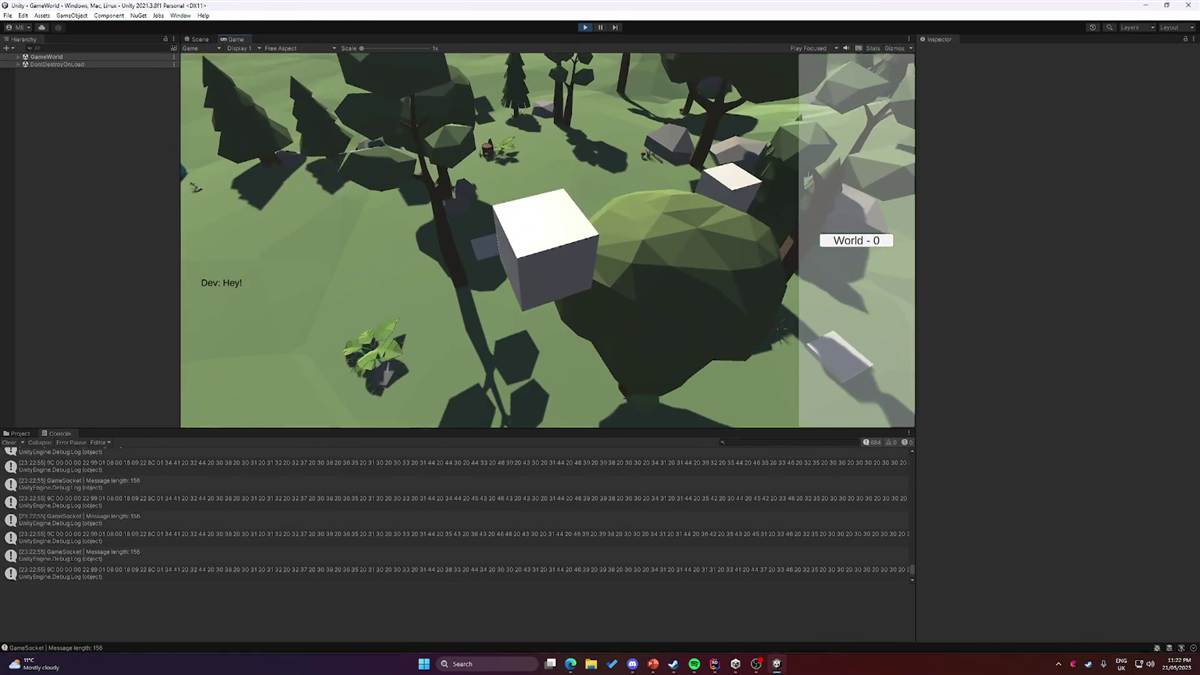
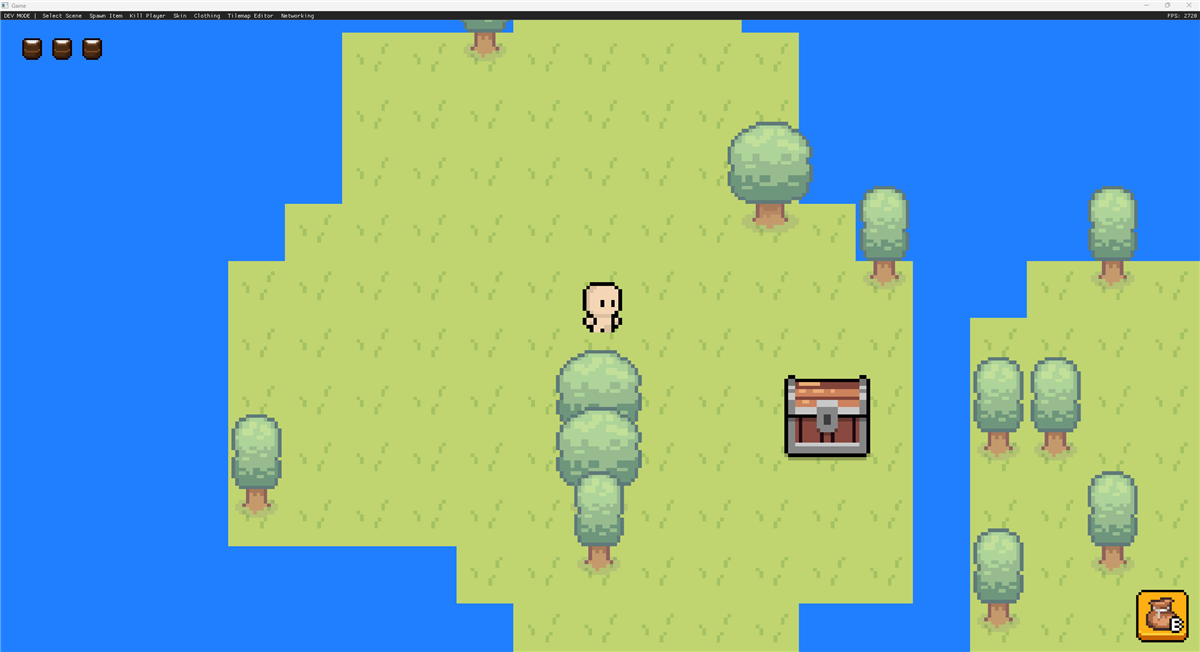
So Ben Nilsson and I have been working on a networking library and I thought I would share some information on how I used Roslyn to generate code for it.
Here is a quick video of the project
Roslyn is a powerful compiler that allows you to create source generators (You can also create analyzers that will look at your code instead of generating new code) that will create code at compile time. This is amazing to allow people to put attributes on code and make the source generator do the heavy lifting.
In this blog post I will explain how I used source generators to generate the boilerplate that you wouldn't want programmers to maintain by hand.
What is a source generator?
A source generator is a way to generate code at compile time. This means that you can create code that is generated when you build your project. This is useful for creating boilerplate code that you don't want to write yourself.
For example, in the context of a Networking Library most of them will allow you to put attributes on top of methods and properties to have them "sync" like this
[NetworkSync]
public int Kills { get; set; }
This will then generate the code that will allow you to sync the kills property over the network, however how does it know what to do?
Well this is where the source generator comes in, it will look at the code and generate the code that will allow you to sync the kills property over the network.
public partial class Player
{
    /// <remarks>This is a generated function for SyncVars</remarks>
    public override void SetupSyncVars()
    {
        PropertyChanged += (object sender, PropertyChangedEventArgs propertyChangedEventArgs) =>
        {
            Pinecone.MessageSendHelper.SendNetworkSyncVar(
                (MessageReliability)0,
                this,
                (true),
                propertyChangedEventArgs.PropertyName
            );
        };
    }

    public System.Int32 KillsGenerated
    {
        get { return Kills; }
        set { Kills = value; NotifyPropertyChanged(); }
    }
}
This is the generated code that will allow you to sync the kills property over the network. This is done by creating a new property called KillsGenerated that the developer will have to set instead of the main variable
It will then call the NotifyPropertyChanged function that will then call the SetupSyncVars function that will then send the message over the network and even remember the value for next time so that if it changes to the same value then it will not be sent again!
How does Roslyn work?
Roslyn gives you APIs for reading the syntax and semantic information that make up a C# file. Source generators can inspect the compilation and add generated code; they do not modify the user's original source files.
It will then give you a syntax tree that you can then walk over and look for the attributes that you want to generate code for. This is done by using the ISyntaxReceiver interface that will allow you to look at the nodes in the tree and see if they have the attribute that you are looking for.
 public class SyntaxReceiver : ISyntaxReceiver
{
    public List<FieldDeclarationSyntax> Fields = new List<FieldDeclarationSyntax>();
    public List<MethodDeclarationSyntax> Methods = new List<MethodDeclarationSyntax>();
    public List<ClassDeclarationSyntax> Classes = new List<ClassDeclarationSyntax>();

    public void OnVisitSyntaxNode(SyntaxNode syntaxNode)
    {
        switch (syntaxNode)
        {
            case MethodDeclarationSyntax methodDeclarationSyntax when methodDeclarationSyntax.AttributeLists.Count > 0:
                Methods.Add(methodDeclarationSyntax);
                break;
            case FieldDeclarationSyntax fieldDeclarationSyntax when fieldDeclarationSyntax.AttributeLists.Count > 0:
                Fields.Add(fieldDeclarationSyntax);
                break;
            case ClassDeclarationSyntax classDeclarationSyntax when classDeclarationSyntax.AttributeLists.Count > 0:
                Classes.Add(classDeclarationSyntax);
                break;
        }
    }
}
Here is an example of a syntax tree that you can get from Roslyn, this is a very simple one however it will show you how to get the nodes that you want.
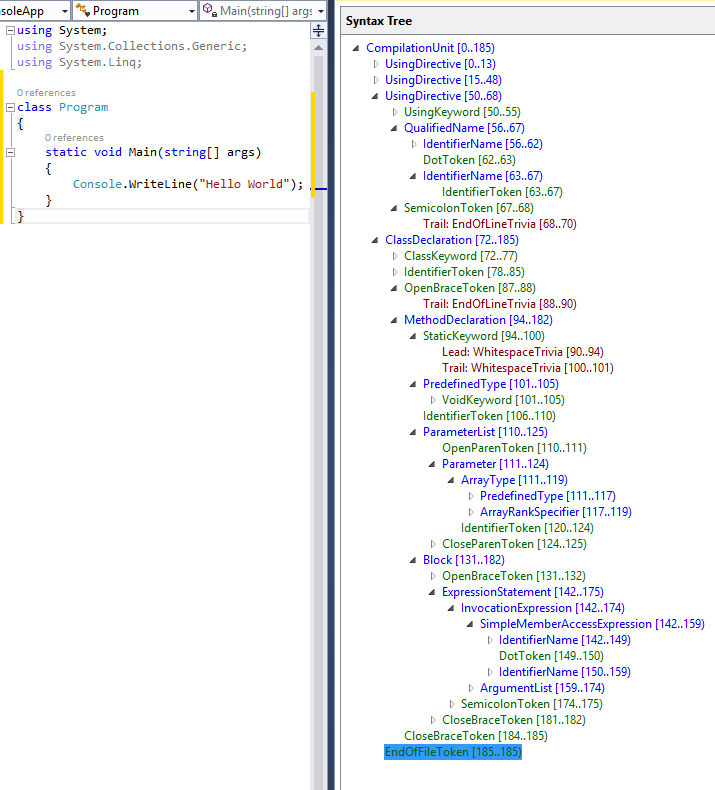
Because we only care about the fields and methods that have the attribute we can just check if the node has any attributes and then add it to the list.
Now that we have all the nodes that we care about we can then generate the code that we want to generate. This is done by using the ISourceGenerator interface that will allow you generate code
We can also generate static code by just injecting it into a "new" file by doing this
context.AddSource("GeneratedNetworkHelpers.g.cs", SourceText.From(target.ToString(), Encoding.UTF8));This will then generate a new file called GeneratedNetworkHelpers.g.cs; we do this in this case so that we can inject some helper function like IsClient/IsServer and all attribute information just incase we want to update it on the fly!
Now we have all the information we need to use .nets reflection system to get the attributes and then generate the code that we want to generate.
ProcessNetworkMessageMethod(context, compilation, receiver, "NetworkRPC");
ProcessNetworkMessageMethod(context, compilation, receiver, "NetworkCommand");
ProcessNetworkMessageMethod(context, compilation, receiver, "NetworkTargetRPC");

ProcessNetworkMessageField(context, compilation, receiver, "NetworkSync");
ProcessNetworkSerialize(context, compilation, receiver, "NetworkSerialize");

ProcessStateMessage(context, compilation, receiver, "NetworkServerPlayerConnected");
ProcessStateMessage(context, compilation, receiver, "NetworkServerPlayerDisconnected");
Conclusion
In conclusion, using Roslyn to generate code is a powerful way to create boilerplate code that you don't want to write yourself. It allows you to create code that is easy to read and understand while also being easy to maintain. It became especially useful when I needed to update the code without breaking existing games.
It is a bit of a pain to set up however once you have it set up it is very easy to use.
Example files
Here is an example of the generated code that will be generated for the NetworkRPC attribute
Game code:
[NetworkRPC(MessageReliability.Unreliable, true)]
public void RpcSyncAnimToClient(AnimationInfo animationInfo)
{
}
Generated code:
public partial class NetworkAnimatorBasic
{
    public partial class Generated
    {
        // <remarks>This is a generated function for NetworkRPCs</remarks>
        public static void RpcSyncAnimToClient(NetworkBehaviour networkBehaviour , Pinecone.AnimationInfo animationInfo)
        {
            if (!NetworkServer.IsActive)
            {
                Debug.LogError("Client called Server message RpcSyncAnimToClient");
                throw new ClientAccessViolationException("Client called Server message RpcSyncAnimToClient");
            }

            if (!NetworkServer.IsActive && !NetworkClient.IsConnected)
            {
                Debug.LogError("Tried to send to call RpcSyncAnimToClient with no Client or Server");
                throw new NoNetworkConnectionException("Tried to send to call RpcSyncAnimToClient with no Client or Server");
            }

            Pinecone.MessageSendHelper.SendNetworkRPC((MessageReliability)1,  networkBehaviour, (true), "RpcSyncAnimToClient" , animationInfo);
        }
    }
}
Here is an example of the generated code that will be generated for the NetworkMessage attribute
Game code:
[NetworkSerialize]
public class PlayerInfo
{
    public Color32 color;
    public string playerName;

    public PlayerInfo()
    {

    }

    public PlayerInfo(Color32 color, string playerName)
    {
        this.color = color;
        this.playerName = playerName;
    }
}
Generated code:
public partial class NetworkMessage
{
    public NetworkMessage AddPlayerInfo(PlayerInfo value)
    {
        return Add(value);
    }

    public NetworkMessage Add(PlayerInfo value)
    {
        Add(value.color);
        Add(value.playerName);
        return this;
    }

    public PlayerInfo Get(PlayerInfo value)
    {
        return GetPlayerInfo();
    }

    public PlayerInfo GetPlayerInfo()
    {
        var value = new PlayerInfo();
        value.color = GetColor();
        value.playerName = GetString();
        return value;
    }
}