Introduction
Over the last couple of weeks I have been taking a look at how s&box syncs networked object state, for those who don't know s&box is a game engine that is being developed by Facepunch Studios, the creators of Garry's Mod. It's within the source 2 engine however it has a public C# "front end" which glues it all together.
DeltaSnapshot
From a high level it seems easy, you just take a look at what has changed and send that over the network, however it is a lot more complicated than that.
DeltaSnapshots are a way to efficiently sync networked object state by only sending the changes that have occurred since the last snapshot. This is done by keeping track of the previous state and comparing it to the current state, and only sending the differences, and even that is a simplification!
Rather than tracking one global last known state, s&box tracks state per connection. Every networked object's fields (referred to as slots) are hashed, and that hash is compared against what a specific client has already acknowledged. If the hash matches, the slot is skipped entirely for that client. This means two players can be sitting at completely different versions of the same object's state, and each one only ever receives what they're individually missing, rather than everyone getting the same broadcasted packet.
if ( receivedSnapshotStates.TryGetValue( snapshot.ObjectId, out var state ) )
{
	for ( var j = 0; j < snapshot.Entries.Count; j++ )
	{
		var entry = snapshot.Entries[j];
		var slot = entry.Slot;

		if ( entry.LocalState?.Connections?.Contains( connectionId ) ?? false )
		{
            // If the entry is already in the local state and has been acknowledged by this connection or in ACK timer, we can skip sending this slot to the client
			if ( state.TryGetHash( slot, out _, Time ) )
				continue;
		}

		var value = entry.Value;
		if ( state.TryGetHash( slot, out var oldHash, Time ) )
		{
			// If the hash matches, we can skip sending this slot to the client
			if ( entry.Hash == oldHash )
				continue;
		}

        // If we get here, it means the slot has changed and we need to send it to the client
		dataToSend ??= SnapshotData.Pool.Rent();
		dataToSend[slot] = value;
		state.AddPredicted( entry, Time );
		entry.Connections?.Add( connectionId );
	}
}
Exploit protection
Most of the code that ends up being ran on the server that is client controlled is wrapped via a try-catch block, so if an exception does occur then it will just throw a warning and continue on, rather than crashing the server. However there were a few places where this wasn't the case, mostly to do with engine level message handlers that were on top of the try catch meaning they would exception and then drop all the messages that were in the queue. Which means it didn't actually crash the server however nobody could move or do anything, so essentially it was a server crash for everyone else. I have put a PR up to fix this.
Retry storm
A retry storm happens when a client can't acknowledge a snapshot in time, so the server keeps re-sending the same snapshot over and over, causing a flood of network traffic. This can be triggered by the client lagging, or even by the server itself lagging. It gets worse with larger snapshots. A bigger payload takes longer to serialize, but the acknowledgement timer doesn't care; it just keeps counting down. So the snapshot is more likely to time out before it's even fully sent, which triggers an automatic retry, which puts the same large snapshot back at the start of the same slow process. The loop feeds itself, and in the end the server crashes because it can't keep up with the flood of packets going in and out.
// This is the maximum time we will wait for an acknowledgement before we consider the snapshot to have failed and we will resend it.
private const float MaximumAckResponseTime = 0.25f;

...

// This is the predicted data that we have sent to the client, but have not yet received an acknowledgement for. We will keep this data around for a short period of time in case the client does not acknowledge it in time, so we can resend it.
public void AddPredicted( in DeltaSnapshot.SnapshotDataEntry input, float timeNow )
{
	_predictedData[input.Slot] = new PredictedEntry( input.Value, timeNow + MaximumAckResponseTime, input.Hash );
}

...

public bool TryGetHash( int slot, out ulong hash, float timeNow )
{
	if ( _predictedData.TryGetValue( slot, out var predicted ) && timeNow <= predicted.ExpireTime )
	{
		hash = predicted.Hash;
		return true;
	}

	if ( Data.TryGetValue( slot, out var e ) )
	{
		hash = e.Hash;
		return true;
	}

	hash = 0;
	return false;
}
Investigation
Currently I'm investigating an issue with this system, so here's a quick rundown. If you've played Garry's Mod, you'll know you can "duplicate" the state of game objects and paste them down later to recreate builds. Right now this works by serializing the object to JSON on the client, then sending that JSON back to the server when you want to paste it down so it can be recreated there.
The problem is that serializing and deserializing that JSON can sometimes take longer than the 0.25f acknowledgement window on its own, and on top of that, the engine can freeze for a moment while it mounts cloud content. By the time it's finished, the delta system has already decided the prediction expired and re-sends the data, which kicks off the same slow process again, and you end up with a retry storm. This seems to be a bigger problem on linux/wine because of the emulation and it generally taking longer to do things in the engine.
I'm currently testing two possible fixes: scaling the acknowledgement timer per slot based on the user's ping and how loaded the server is, or packing the data tighter so serialization doesn't take long enough to trigger the problem in the first place. Still got nothing concrete to report on either yet.
At the moment I am leaning towards both! You can never have too many optimisations, and the more we can do to reduce the amount of data being sent over the network, the better.
Looping problem (Scaling)
Currently every frame we are looping over all network objects to check if they have changed and need to be sent to the client. This is fine for a small number of objects, but as the number of networked objects increases, this becomes a problem. The loop takes longer and longer to complete.
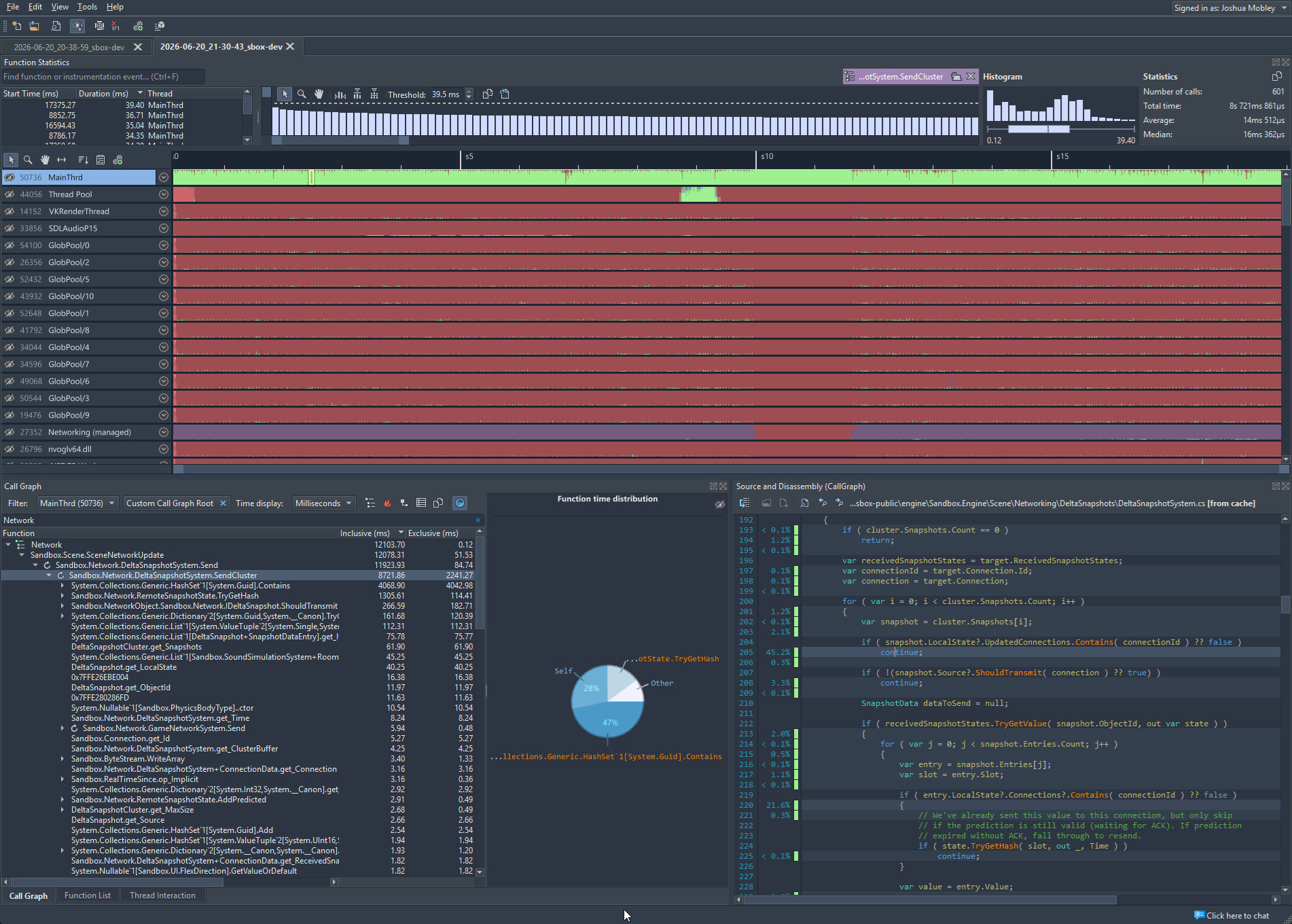
Image is of the profiler https://superluminal.eu/
Dormant Objects
Currently I am testing a change to set them to "dormant" if everyone has all the slots and snapshots acknowledged and nothing has changed. We can do that by putting hooks in all places anything changes and then just adding them back into the loop when they change. This will reduce the number of objects we have to loop over and should improve performance. This is currently the difference between the server handling 100 clients and 10000 objects, versus falling over before that. I am not done with testing however as I am sure I have missed some edge cases where objects can change without the server knowing about it, so I am still testing to make sure this is a safe change.
Before: 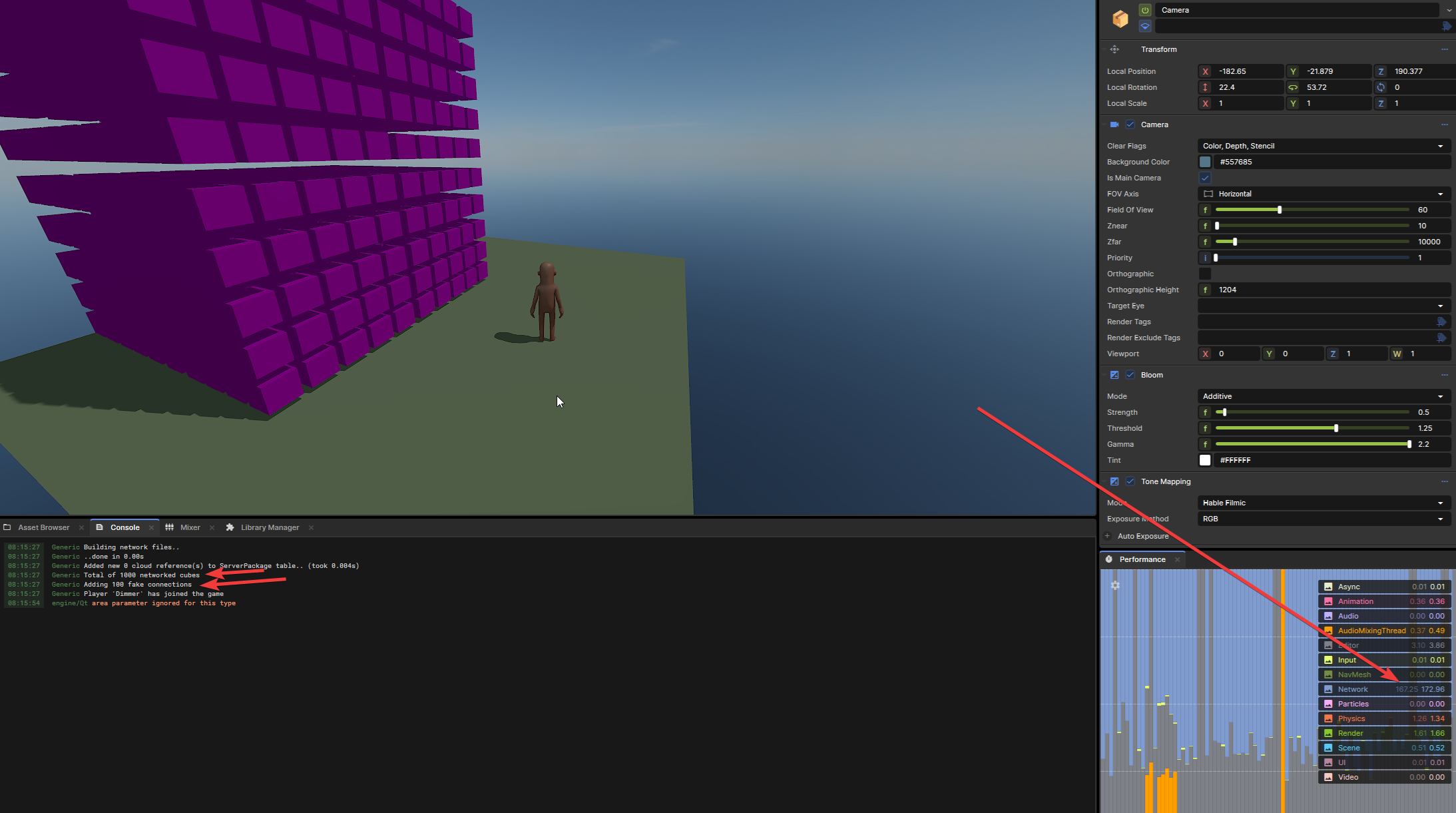 After: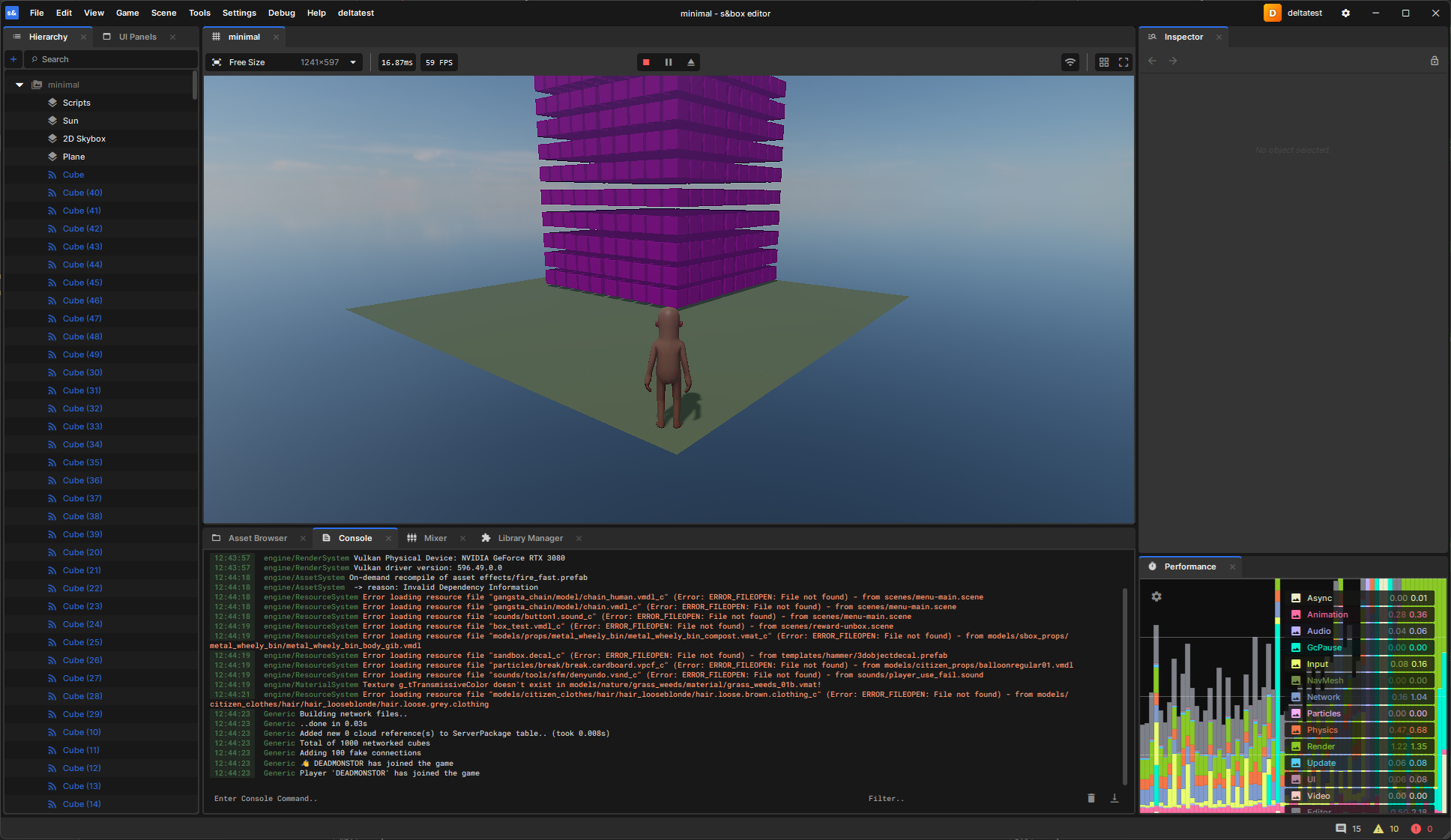
Some smaller changes I am testing
Rate Limits
In gmod there was a lot of problems with people spamming the server with net messages, causing people to get overflow buffered (which was basically a disconnection due to the network pipe being too full.), This would usually disconnect everyone on the server. To prevent this globally it would be nice to have either an attribute on an RPC that will allow you to set a rate limit, or a global rate limit that will apply to all RPC's.
Currently I think it would look something like this:
[Rpc.Host]
[RateLimit( 10, 1f )] // 10 calls per second, 1 second window
public void MyRPC()
{
    // RPC code here
}
When the ratelimit is dropped your message is dropped, there is an optional convar to allow it to kick people aswell.
Conclusion
Honestly I am having so much fun looking at this engine, I have currently got 5 PRs open and I am looking at more things to improve. The networking has a lot of improvements that could be made and I am looking to make some of them soon! So maybe another blog post.
EDIT: These PR's have been merged into the engine and even got a shoutout in the blog! https://sbox.game/news/update-26-07-01#networking-improvements
Links
s&box: https://sbox.facepunch.com/ Code: https://github.com/Facepunch/sbox-public/